
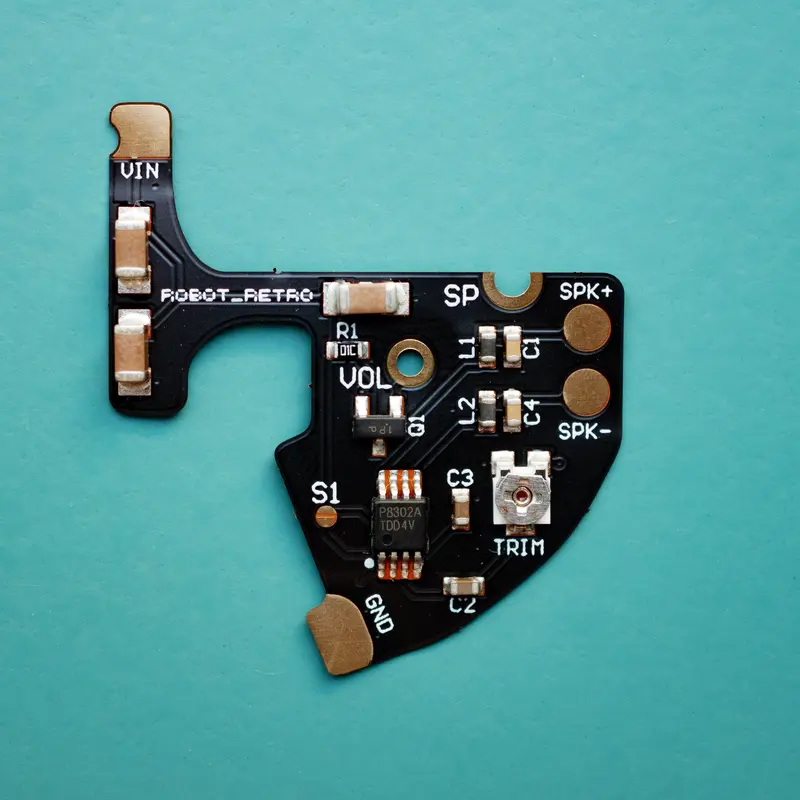

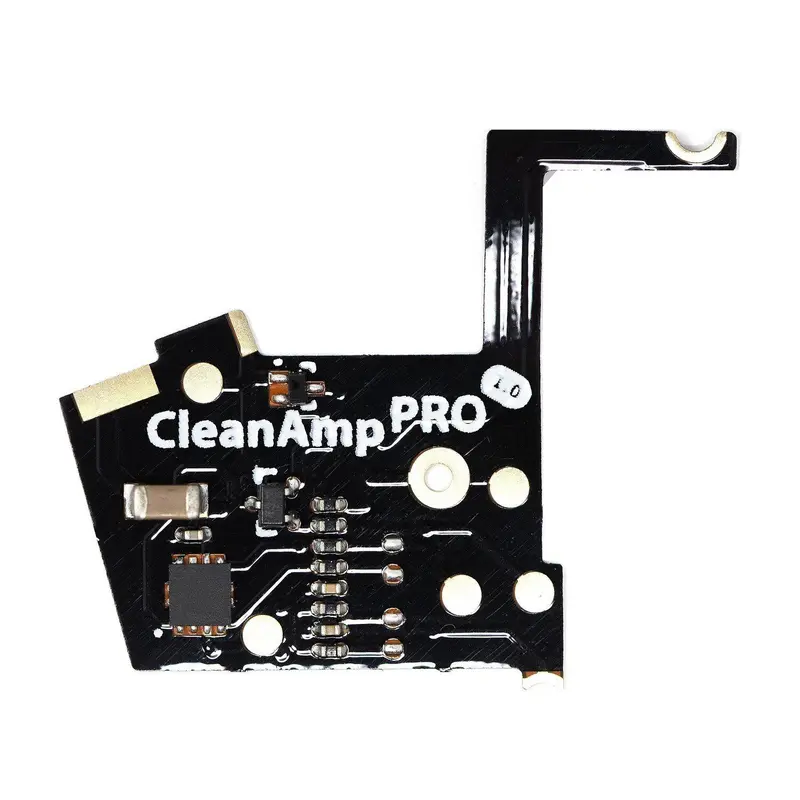
This flex amp for the Game Boy Advance enhances the audio and also addresses issues with other flex amps that are too loud and don’t have adjustability.
WHAT’S NEW WITH v2:
- The speaker now includes a full-size insulative sticker to place on the back, preventing shorts against the metal speaker casing (see photo).
- By default, the amplifier mutes audio below ~25% of the volume wheel’s travel. This can be disabled by bridging solder point S1 (see photo).
FEATURES:
- Variable volume pot labelled “TRIM”. This will adjust the peak volume of the amp. Set this during install with a small flat head screwdriver.
- Preinstalled additional capacitators to reduce speaker hum.
- If using an original speaker, there will be slight distortion at the maximum volume and the tabs on the back of the speaker may need to be trimmed.
- You can use a 1W speaker or a 2W speaker. A 1W is sufficient as most GBA speakers will not exceed 1W, but a 2W will allow for that extra amount that can occur. Please purchase your speaker separately. Properly insulate back metal area of 2W speaker with Kapton tape.
INCLUDED:
- 1x GBA Audio Flex amp
INSTALLATION:
- Remove the old speaker and trim off the old solder connections so they are flat with a pair of side cutters.
- Pre-tin the GBA motherboard (see photo showing locations).
- Add a layer of Kapton tape or generic tape to the back of the speaker. This step is required to prevent shorting.
- Solder on the flex amp at the four locations (see photo). I suggest to use a small amount of liquid flux to help neaten to joints and allow the solder to flow.
- Solder on the speaker.
- Using a small 2mm flat blade screwdriver (iFix part “2”), set the volume pot to the required peak level.
NOTES:
- This amp has a ‘silence’ mod installed. Which means that, when the volume wheel is closer to the off position, the volume will become completely silent. This helps to reduce the humming/hissing noises that can be heard when an amp is installed. However, please expect a less gradual increase of volume from off to receiving sound, it will start off at a higher-level volume than a quiet one.
- Created by Robot_Retro
Reviews
There are no reviews yet.