
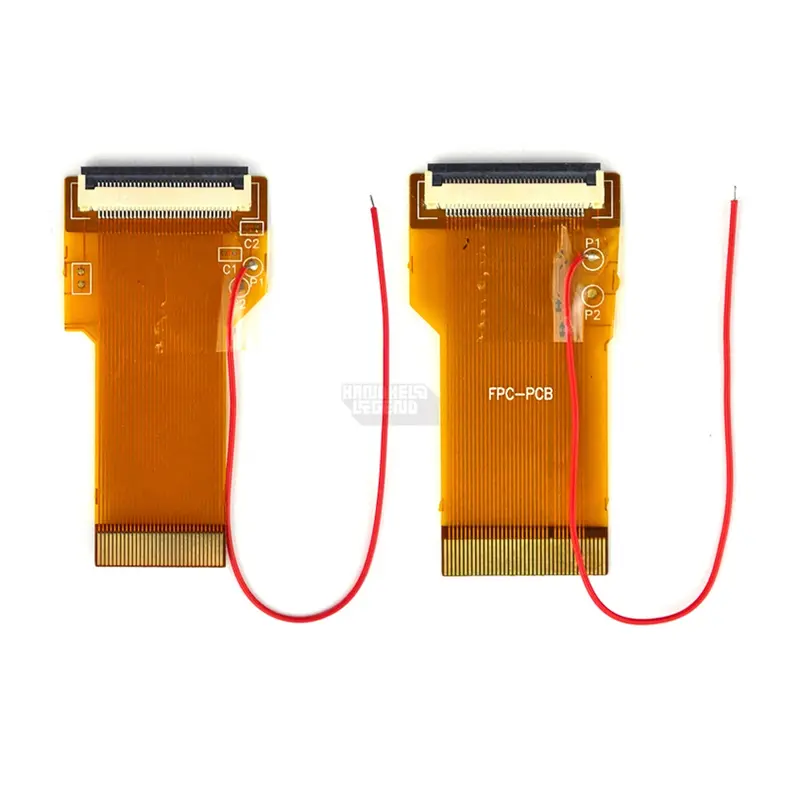

Install this cable into your Game Boy Advance in order to install your AGS-101 Game Boy SP LCD.
INCLUDED:
- 1x Ribbon Cable Adapter
DOCUMENTATION:
How do I know which adapter I need? Look on the back of your GBA after removing the battery compartment to find a number on the PCB:
- 40 pin has white connector
- 32 pin has white connector
- 32 pin models start with a “1”
- 40 pin models start with a “0”

Using this cable may cause your screen to look washed out. If so, check out this thread. We cannot fully support that this item will work with the AGS-001 LCD. Refunds are not accepted in this instance.
WARNINGS:
- Test before installation! When you receive a backlight/LCD kit, you should perform a dry run before installing to assure that nothing has been damaged in transit. A dry run or test fit means the kit is not installed in the shell. This includes the use of adhesives, brackets, and any performed soldering. All ribbon cables should have no bends or creases in them. If you are unsure how to perform a dry run, please contact our support team and we will be happy to help. Backlight kits that have been installed are not eligible for replacement or return.
- LCD may break if put under too much pressure or dropped. Please exercise extreme caution when installing.
Reviews
There are no reviews yet.